 ASOR_NOTES
Write it down.
Look it up.
Asor Notes pairs a distraction-free journal with a built-in scripture and Strong's concordance lookup — so every note you write can carry its own references, entirely offline.
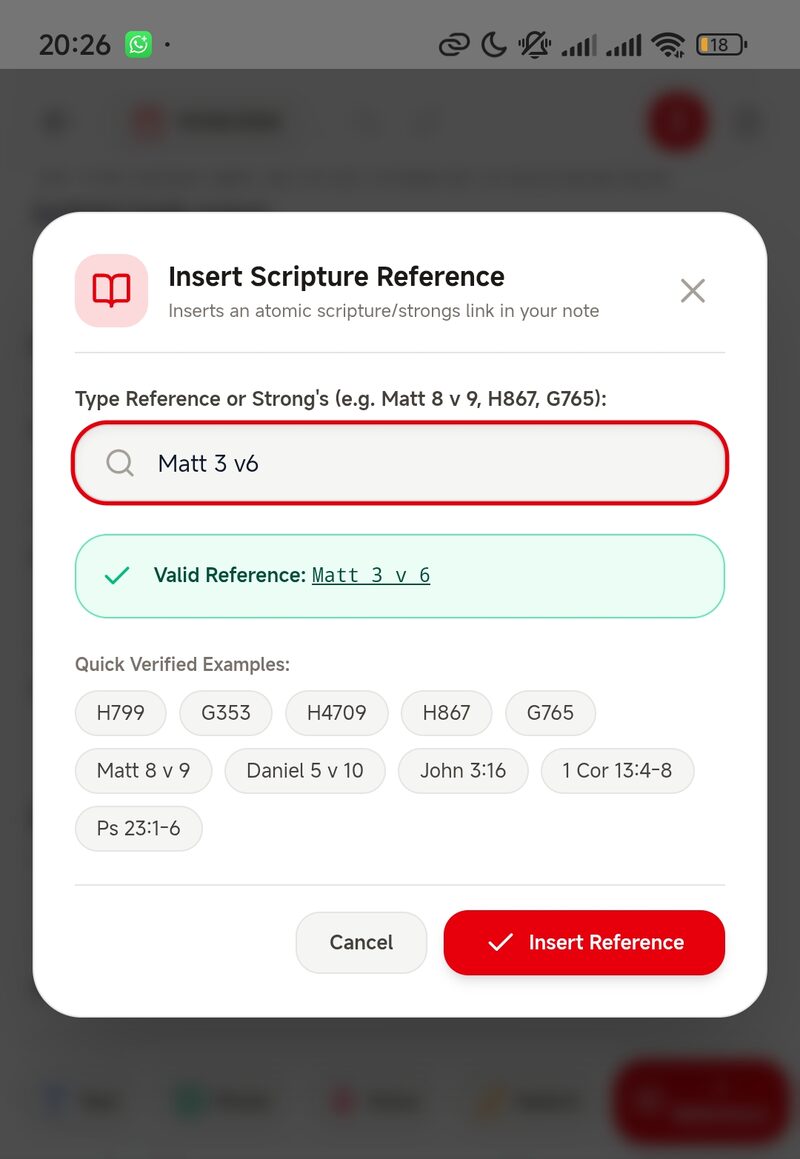
Type the reference in whatever shorthand you already use.
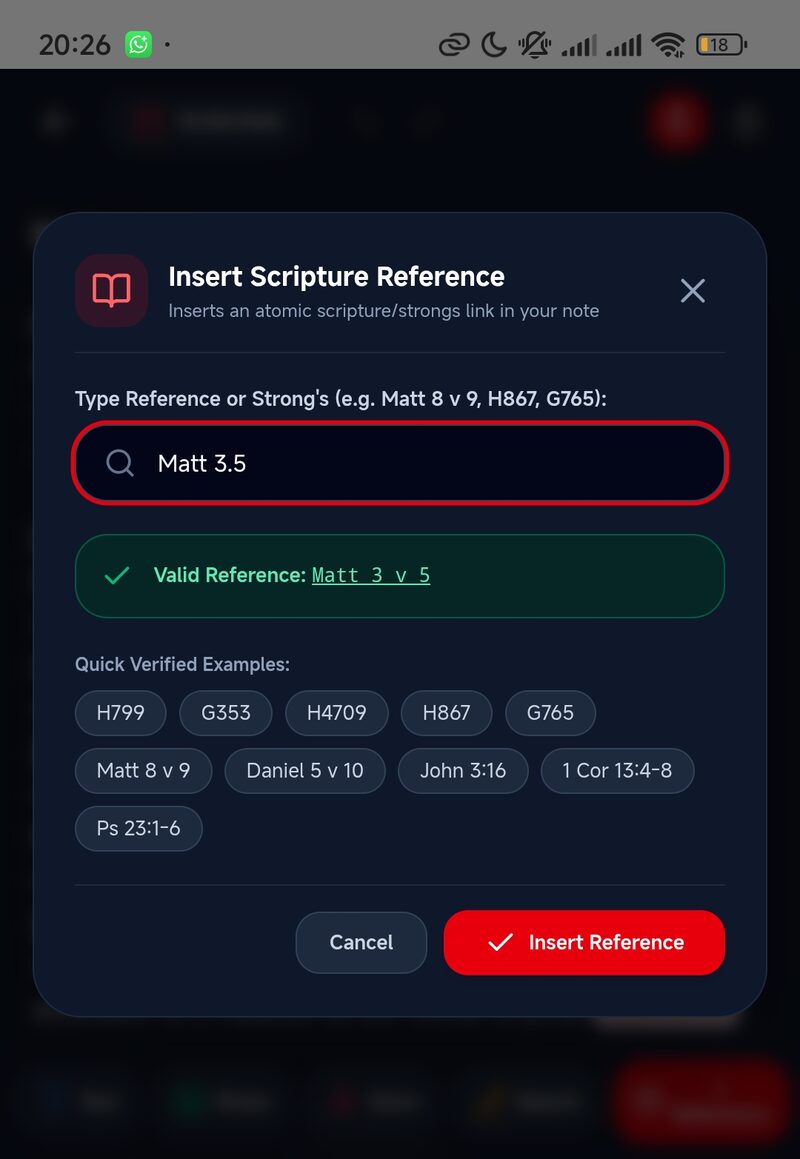
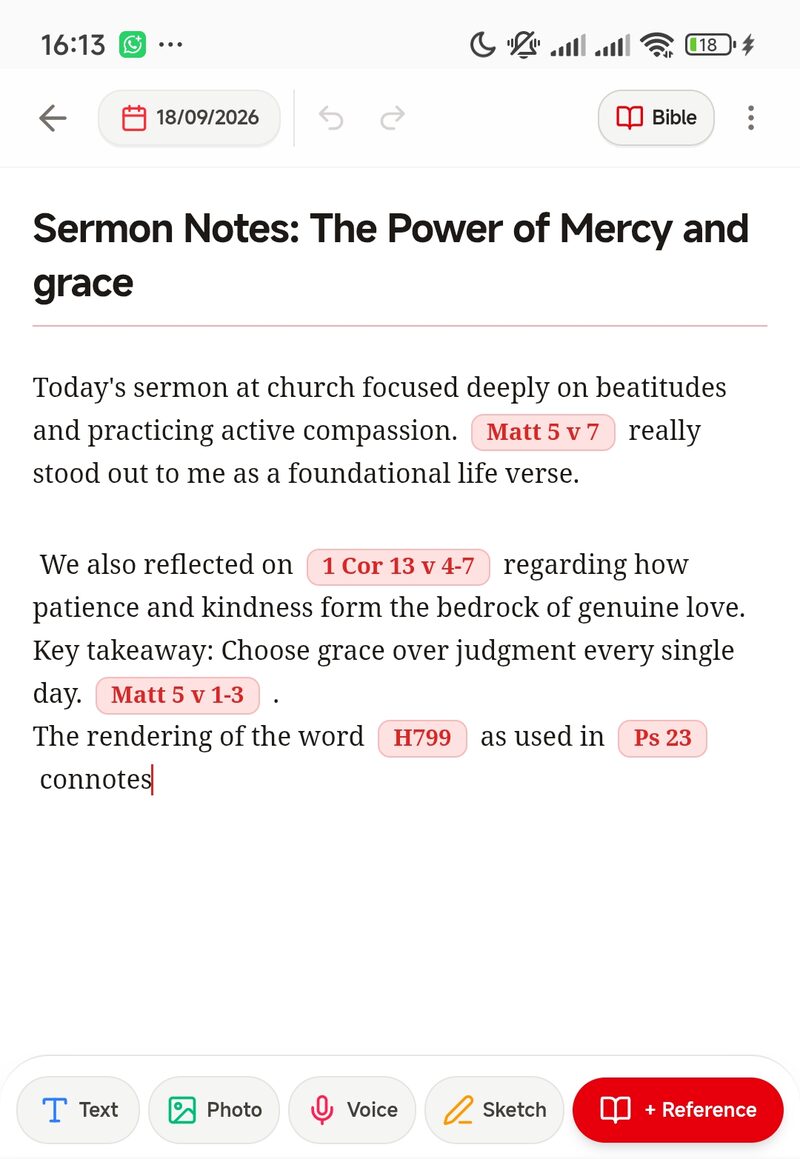
Tap "+ Reference" and type it however you'd naturally write it — "Matt 3.5", "Matt 3 v6", "Matthew 3:5". The insert tool reads the shorthand, confirms the match, and drops in a properly formatted chip right where your cursor is.
- Quick insert shortcut — type a reference right in your note, then
//or..straight after it, and it becomes a chip instantly — no dialog at all. - Forgiving syntax — dots, colons, and "v" are all read the same way.
- Instant validation — a confirmation shows the resolved reference before you insert it.
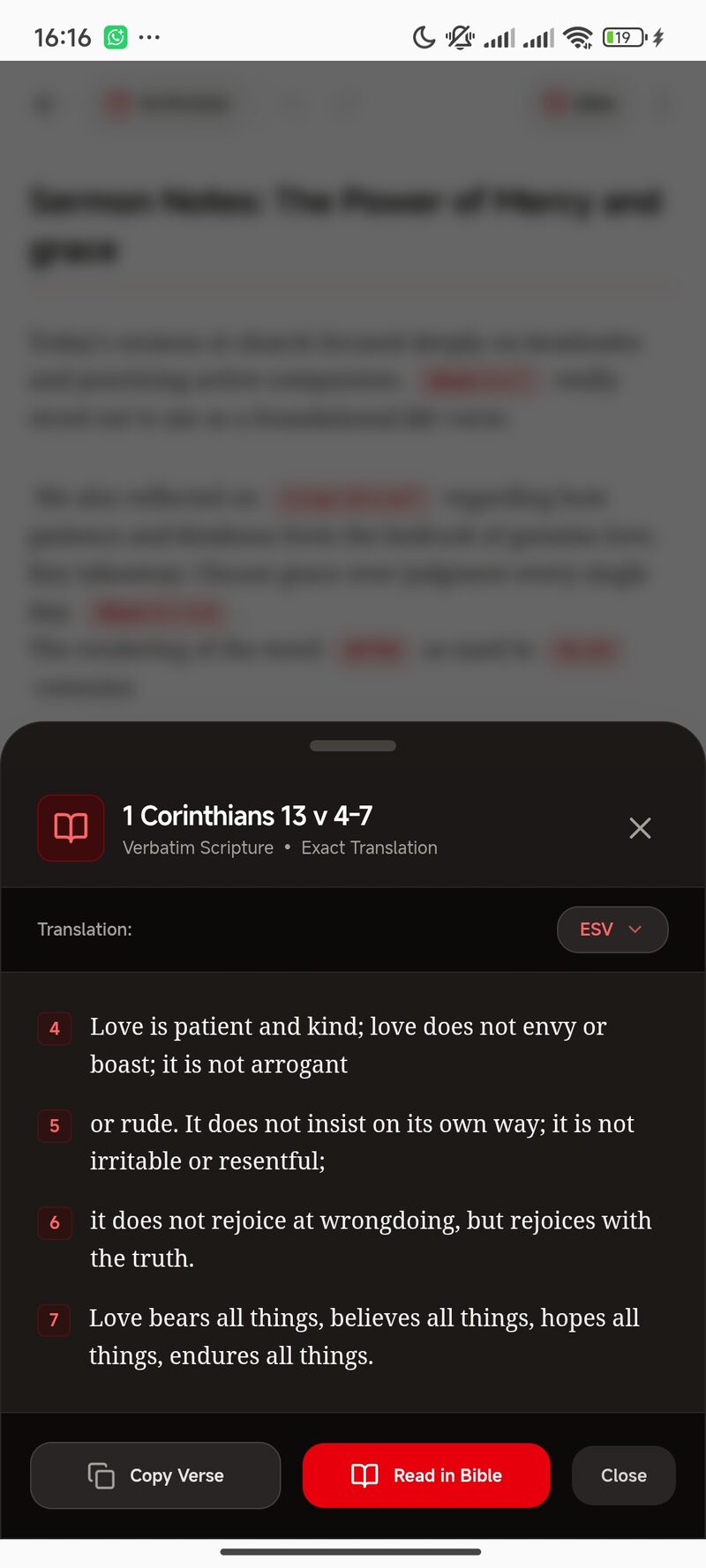
- One-tap peek — open a distraction-free passage card without losing your place.
- Read in Bible — jump straight from that peek card into the full chapter for context.
- Eight translations on device — including KJV, NKJV, ESV, and WEB — switchable mid-read.
- Insert whole passages — copy a single verse or a full range straight into your note.
A full Bible reader, built into every note.
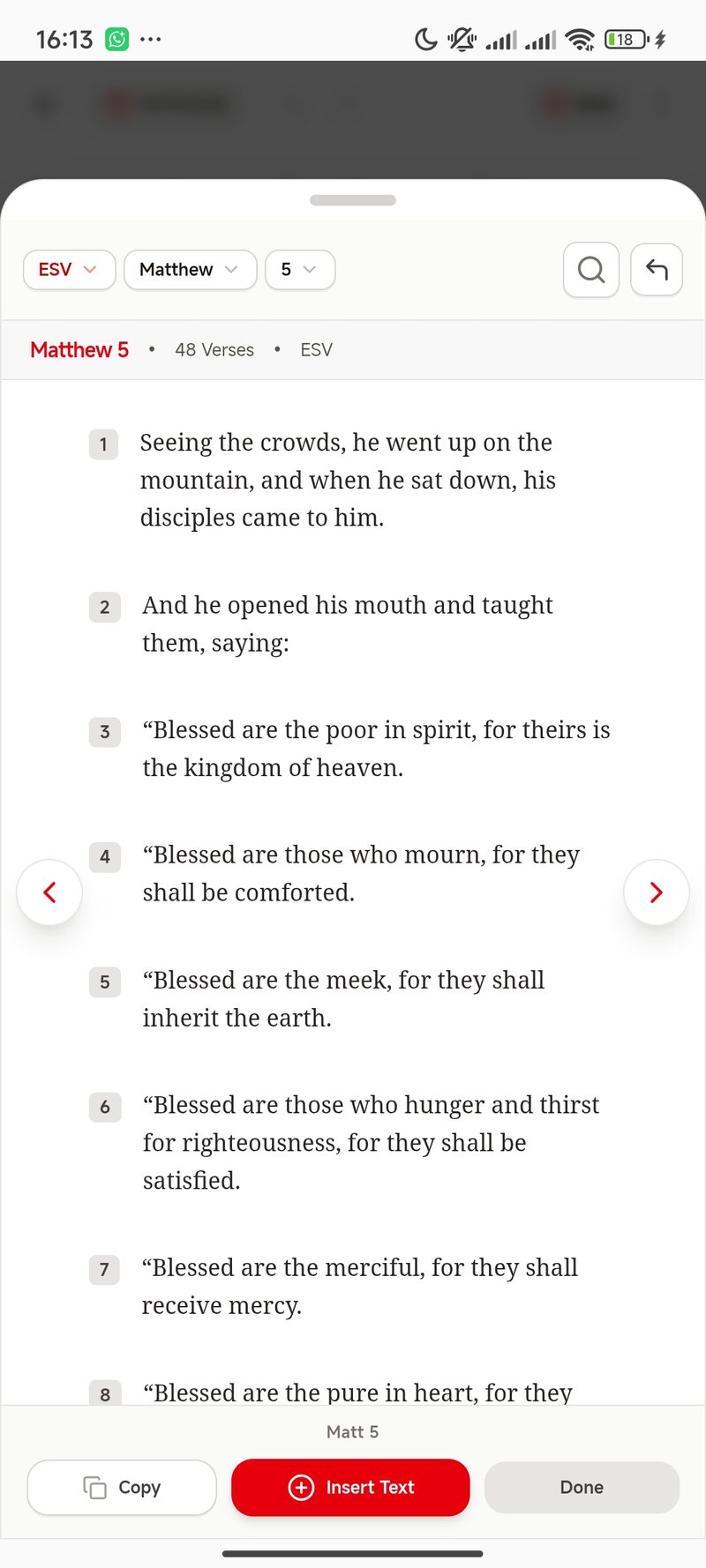
Tap "Bible" in the note's own top menu to open a chapter reader without ever leaving what you're writing — read freely, search the text, then insert straight back into your note.
- Chapter-by-chapter reading — navigate freely with verse numbers, right from the note toolbar.
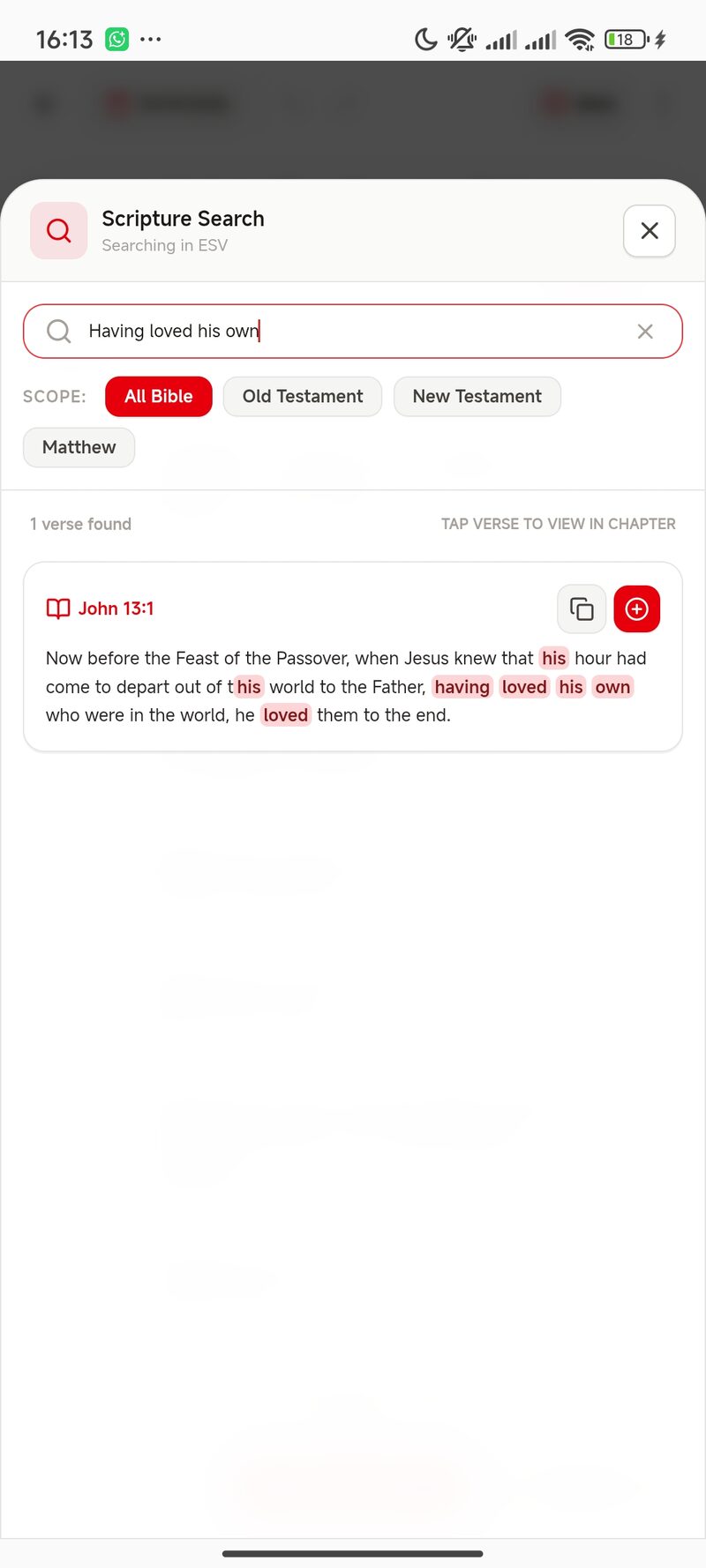
- Word, phrase & sentence search — search across All Bible, Old Testament, New Testament, or a single book.
- Insert straight from the reader — copy or insert any verse into your note without retyping it.
Every root word, in the original Hebrew and Greek.
8,674 Hebrew entries and 5,624 Greek entries live on your device — no connection required, in the middle of a sermon or on a plane.
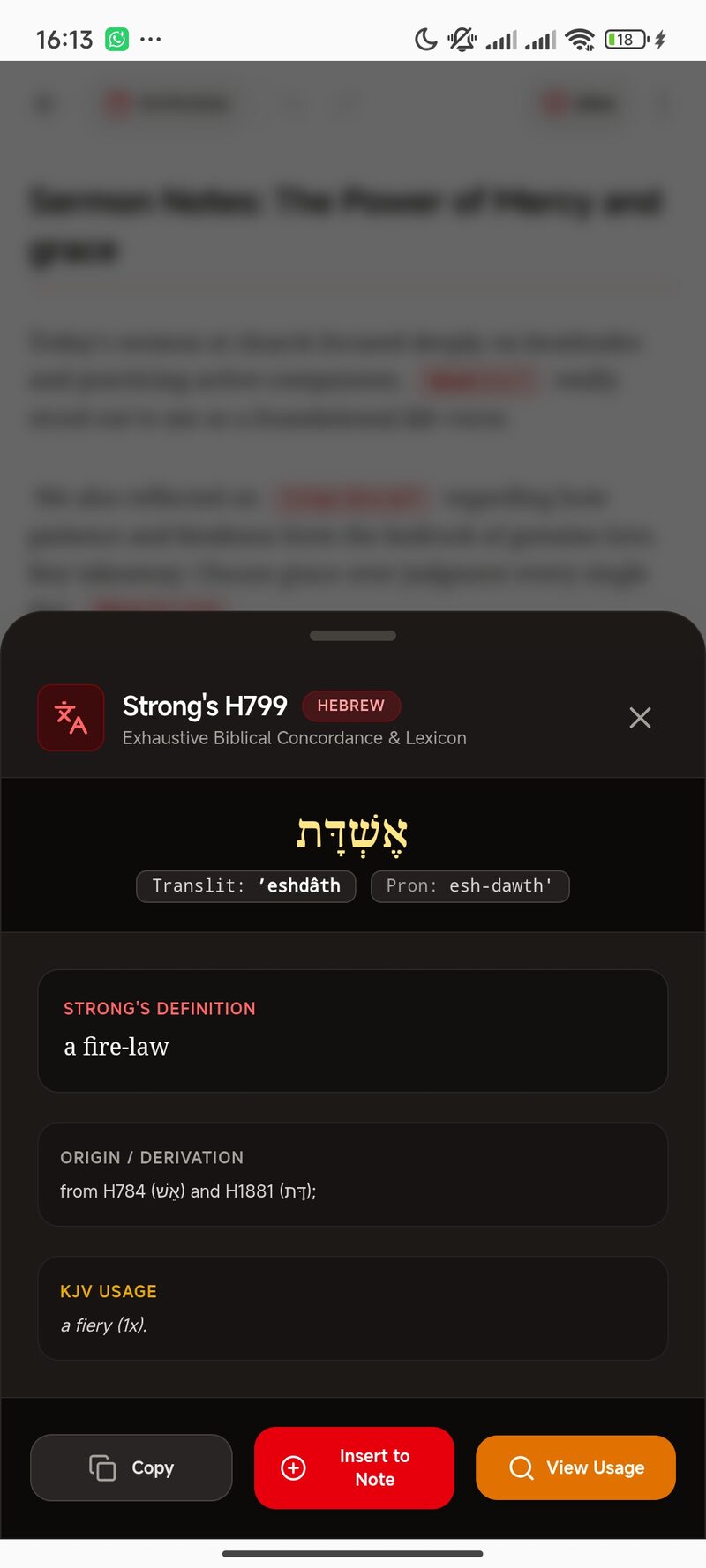
- Same insert tool — type a Strong's number like H799 or G26 and it resolves to a chip the same way a scripture reference does.
- Original script & transliteration — the lemma, phonetic pronunciation, and etymology, together.
- Exhaustive definition & KJV usage — occurrence counts included, so you can see the word's full footprint.
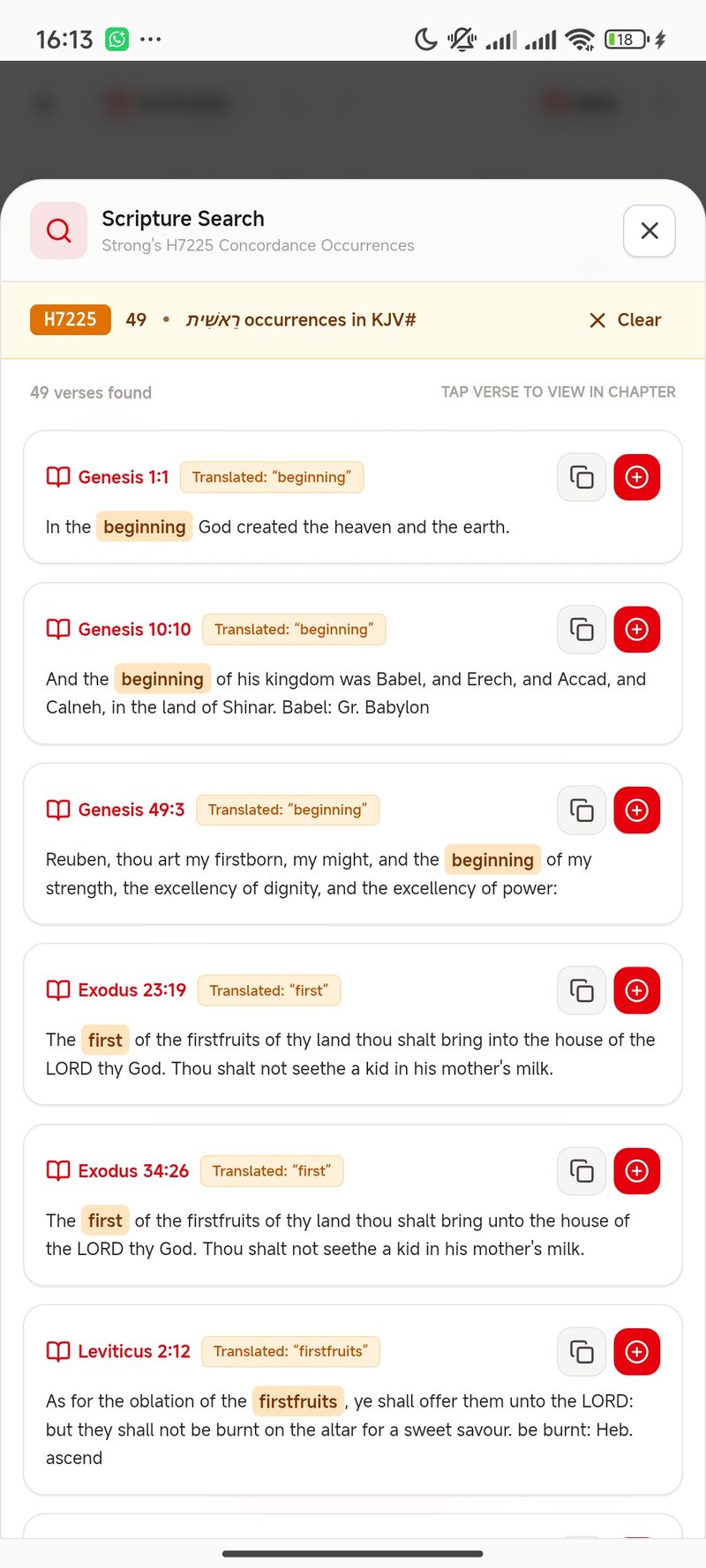
- View usage in context — pull up every concordance occurrence for a word, each shown inside its full verse.
- Insert straight to note — send any entry into your current entry without retyping it.
Notes that hold your whole process — not just your typing.
Voice memos for sermons and spoken prayers. Freehand sketches for mind maps and Hebrew character studies. Photos of handwritten outlines and church bulletins. All of it embeds inline, alongside your text and reference chips, in one block-based note.
- Built-in audio recorder — with a scrubbable waveform and speed control up to 2×.
- Freehand canvas — adjustable brush sizes, color palette, undo and redo.
- Photo attachments — sermon outlines and study materials, embedded where you need them.
- Full formatting — bold, italic, underline, alignment, and multi-level headings.
Four palettes, one reading rhythm.
Light, Black, Dark, and Deep Navy — each tuned for a different hour of study, with the same red marking every reference.
No account. No sync server. No one reading over your shoulder.
Everything — your notes, your Bible, your concordance, your recordings — lives on your device from the first launch. There's nothing to sign up for and nothing being tracked.
- No login required — open the app and start writing immediately.
- Complete Bible bundled — all 66 books, plus the full Hebrew & Greek dictionaries, work with no signal at all.
- One-click backup — export every note, photo, recording, and sketch into a single portable .zip file.
- 30-day recovery — deleted notes wait in a Recently Deleted screen before they're gone for good.
From a blank note to a finished study.
Open & write
No sign-up — start a note the moment you launch the app.
Insert references
Drop in scripture or Strong's numbers as you go, validated on the spot.
Add the rest
Layer in voice memos, sketches, and photos alongside your text.
Find it again
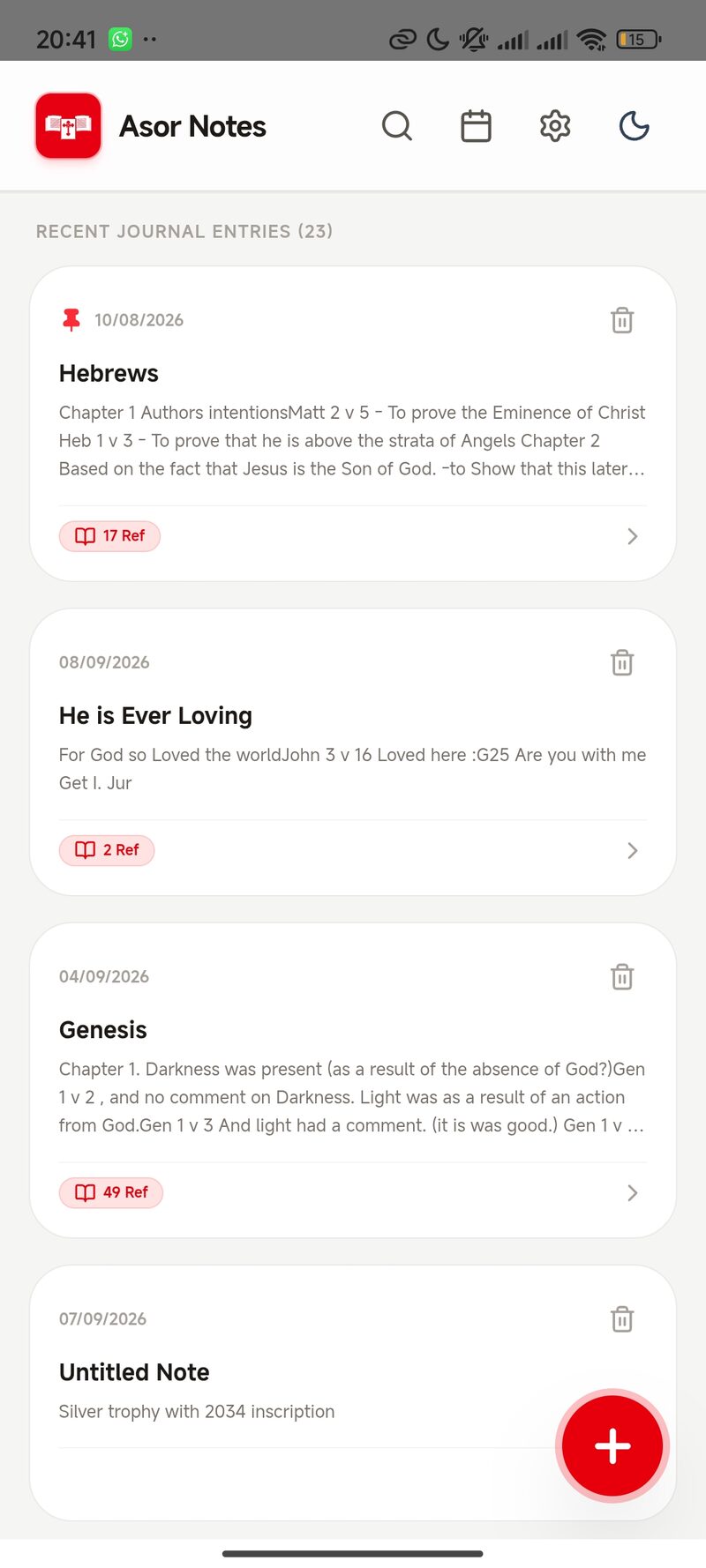
Search, pin, and filter by date or reference whenever you revisit.
Coming soon to Google Play.
Asor Notes is heading to the Play Store shortly, with an iOS release to follow. Join the waitlist and we'll email you the moment it's live.
Prefer email? Reach out directly.